A few weeks ago I said the homelab was going to be the training ground for becoming ONE OF THE BEST infrastructure engineers. This post is the first real proof of that — the OSPF build is done, and it taught me more than I expected from something that looks simple on a whiteboard.
Where this started
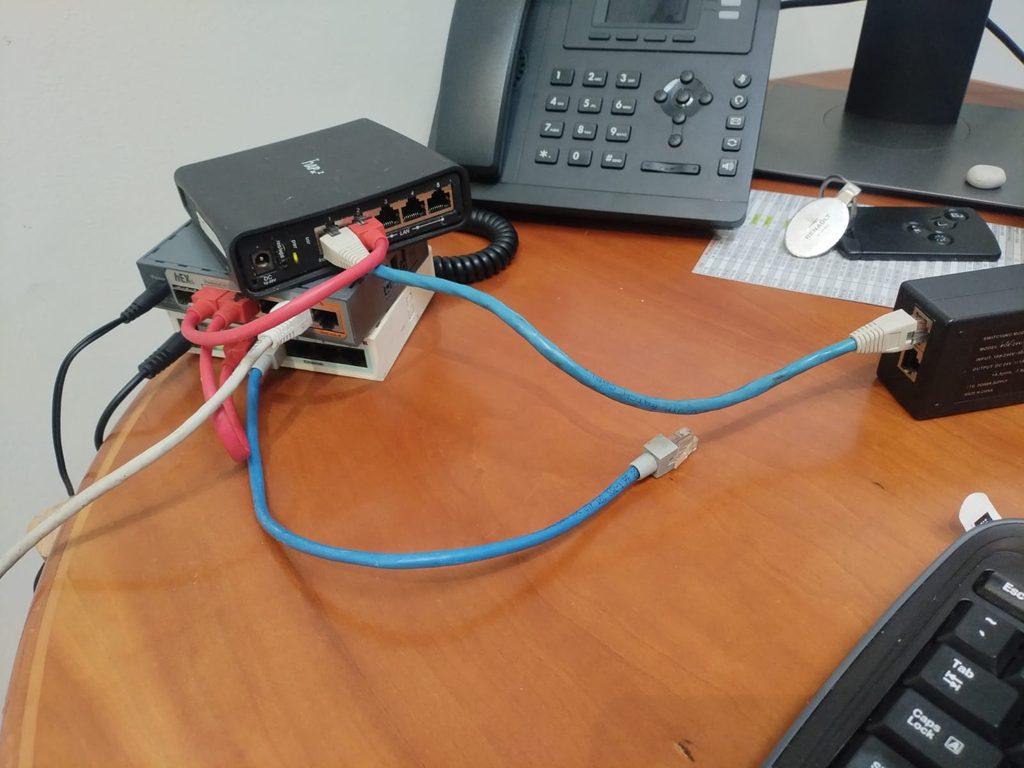
Before any routing happened, I had three MikroTik routers — a hEX S, a hEX, and a hAP ac2 — that all reset to the same default IP and all wanted to hand out DHCP. Plug them in together and they immediately step on each other. So the actual first step wasn’t network design at all. It was the boring part: label each device, configure it in isolation, set a real management IP and identity, strip the default config — before any of them saw each other on the same cable.
It’s not a hard problem. It’s just the kind of detail a course skips, because a course hands you a lab that’s already clean.
From one flat area to something that actually teaches OSPF
Once the IP conflicts were sorted, the next step was getting the routers talking — not just reachable, but routing. I started with a single backbone area across the three routers, transit links between them, and a loopback on each for a stable router ID.
That worked, but a flat single area doesn’t teach you why multi-area OSPF exists. It just proves routers can talk. So I split it:
- Area 0 (backbone): a full triangle of transit links between RTR-CORE, RTR-Branch1, and RTR-Branch2
- Area 10, 30, 40: each router’s loopback sits in its own single-router area off the backbone — Core in area 10, Branch1 in area 30, Branch2 in area 40
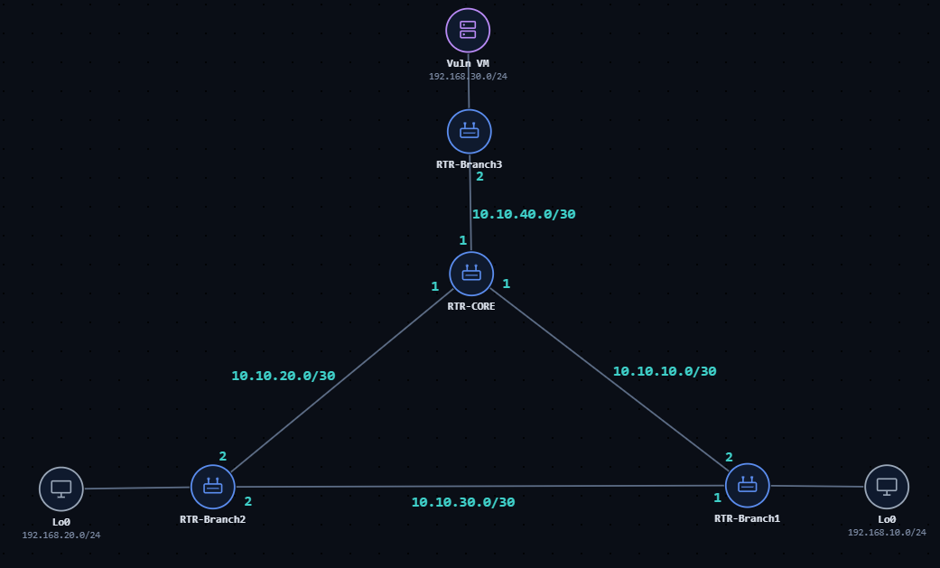
All three adjacencies came up Full, with proper DR/BDR election on the multi-access segments. On paper this is CCNA-level material I studied years ago. Watching state=Full hold steady while I edited the config live, on hardware I own, is a different kind of understanding than passing a multiple-choice question about it.
Why bother with areas at all, on a network this small
Nobody needs multi-area OSPF for three routers. That’s the point. I’m not building this to solve a real capacity problem — I’m building it to encounter the same design decisions a real infrastructure engineer has to make: where do you draw area boundaries, what does that boundary actually protect you from, and what breaks differently when a link inside an area fails versus a link between areas.
Convergence: pulling a link mid-flight
Theory is one thing. Watching it happen is another.
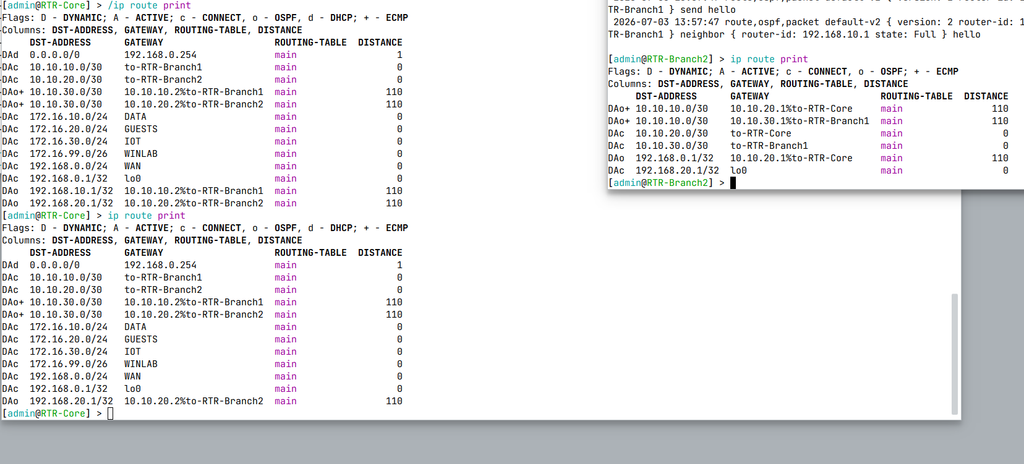
I ran a continuous ping from RTR-Branch1 to RTR-Branch2’s loopback — routed through RTR-Core across the backbone — then physically unplugged the direct link between Branch1 and Branch2.
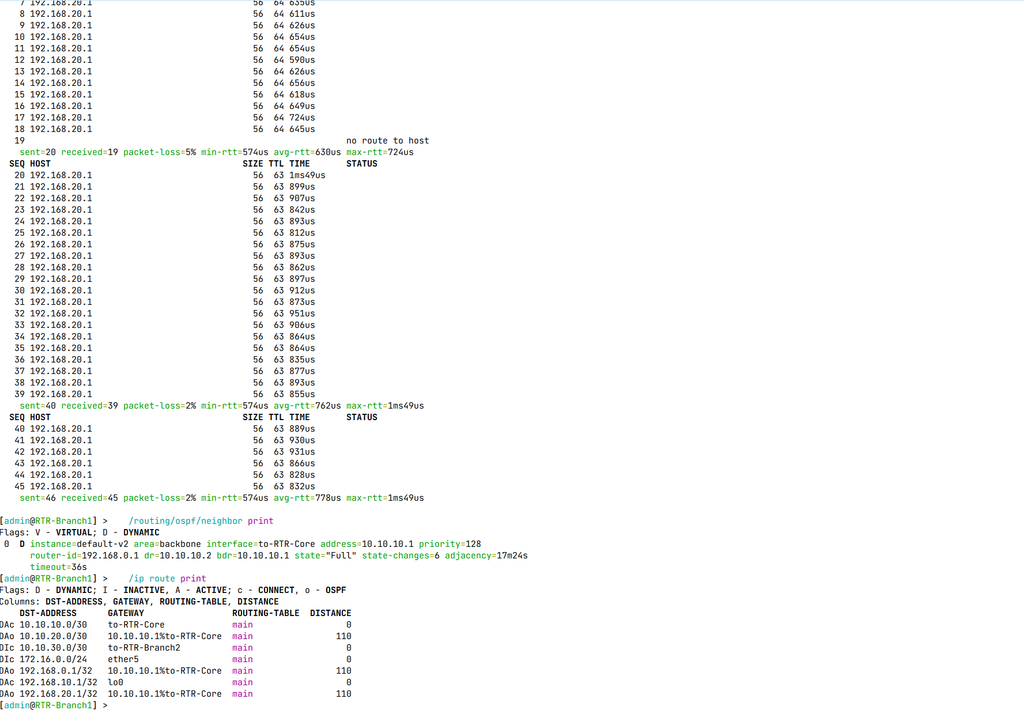
Out of 46 pings, exactly one was lost — the packet in flight the moment the cable came out. The very next ping succeeded, but at TTL 63 instead of 64, meaning it had already rerouted through Core.
The OSPF neighbor table confirmed it instantly. Branch1’s adjacency to Branch2 disappeared the moment the link dropped, and the route to Branch2’s loopback flipped over to go via Core, at the same OSPF cost.
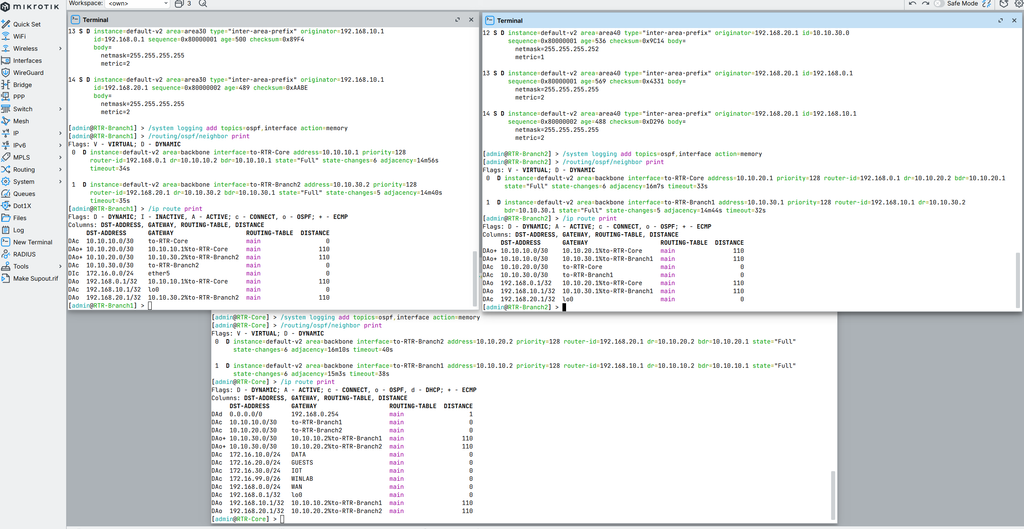
Going in, I expected something closer to the OSPF dead-timer worst case — up to 40 seconds on default MikroTik hello/dead intervals. That’s not what happened, and understanding why is the actual lesson: a physical link failure is detected by the interface itself, not by waiting for hellos to stop arriving. The adjacency tears down and OSPF recalculates almost immediately. The 40-second scenario only shows up when the failure is silent — the wire stays up but stops forwarding — which is a good reminder that “the light is green” doesn’t mean the link is actually working.
What’s next
OSPF convergence is done, and it behaved better than I expected — which taught me more about why than a clean pass would have. Next up is building the L2 network on top of it: VLANs and a real addressing plan, then STP, before the Windows domain goes in. Same approach as always: build it, break it, document what actually happened.